Thursday, November 11, 2010

Kindle gets praise. State of e-ink color, Book sales vs Ebook sales. Publishers vs library remote-lending. Amazon e-book furor

MORE NEWS BITS
The image at the left comes from a Wikipedia entry in Poland on the Kindle(s).

I also came across a Sept. blog entry by Andrew Bolster referencing this blog's article on software update v3.0.2 (which is still the current version, as v3.0.3 is still in 'early preview' state), and that update has also solved quite a few initial problems for some who have tried the early preview.

  " In short, I have never had such an aptly timed update; Its as if Amazon have psychically heard me over the Whispernet and fixed more or less everything.

  " Oh, did I mention? The e-ink screen renders advanced latex-style math perfectly! This frankly amazed me. But the best thing I can say about the screen is the oft-proclaimed readability is, if anything, understated. "   He adds:
'   The iPad is a jack of all trades; ebooks, games, browsing, social media, media viewing and generation, and more stuff that I could never think of.  The Kindle is an ebook reader, literally born and bred, with a infant browser incubating along side.  When I’m reading something in an e-paper or an e-book that I have no idea about, I can pop over, spend 5 minutes familiarising myself with the wikipedia article, and go back.

  I can comfortably read google reader (save for the videos) at a bus stop or on the train.  If I come across a truely inspiring piece of prose, I can share it with my social network in situ. '
He's describing almost-anywhere 3G wireless when he mentions what he can do at a bus stop or on the train.  Not a day goes by when I'm not asked about the WiFi-only vs 3G/WiFi Kindle.  He describes pretty well what is possible with the latter -- and on a global basis.  I've emphasized the feature, since 2008 when I got my first Kindle, but until the last month, most reviews or comparison articles have not mentioned a feature (now international) that normally costs so much (web-data access on demand) but which is actually available on the Kindle  (UK: K3) for free now in large areas of the world.


CNET: "Why the Kindle is the Greatest Gadget of the 21st Century"
Yes, that sounds like advertising hype, but it's written by the often tough CNet folks, in this case Jason Jenkins in the UK, and this kind of headline or story is not that unusual anymore.
' In the past decade, we've seen gadgets that subsume others, products that are devilishly shiny and widgets that are superbly simple to use.  But there's only one that feels like the work of magic -- the Amazon Kindle. '

Wait, there's that word again.  And there's also credit given (below) for something not often mentioned in the comparison reviews:
' Initially only available in the US, when the time came to launch it to the rest of the world, Amazon could have done what every other electronics company would have done and taken years to painstakingly negotiate a data deal with a different phone network in every country, releasing it in each territory as they went.

But that would have taken too long, so Amazon said "Screw it" and launched an international Kindle that worked everywhere and piggy-backed AT&T's American network.  The risk of incurring ruinous data roaming costs must have been huge, but that one bold step catapulted the Kindle into book-reading hearts across the globe. '

The CNet website is holding a 'tournament' in which people are asked to 'vote' for their favorite gadgets of the century, and this is just one of the gadgets being matched against other ones.

That Color E-Ink Reader Demo'd in Japan
While there was a commercial photo released the other day that looked fairly nice but ultra subdued in color (and those trying it said it was quite slow and the color layer over the E-Ink caused a loss in contrast and was not as sharp or clear as an LCD image), I saw some pics today, at Nate's TheDigitalReader blog, from the FBD 2010 trade show in Japan this week.  The Hanvon Reader from China is the first reader to use the new "Triton" e-ink technology.

  At best, one of them looked like the old hand-painted color postcards we used to see at the beach.  Most of them did not show clearly that there was color.  Also see more at netbooknews.com.  No surprise then that Jeff Bezos had considered e-paper type color not ready, judging by these and even by the considerably more 'colorful' picture at the right from RegHardware.

  While E Ink demo staff mentioned the "thousands of colors," we are used to seeing millions on our computer monitors and in the best tablets.  The resolution on the Hanvon's 9.7" screen is only 800x
  RegHardware's Tony Smith adds, "Even so, E Ink marketing chief Lawrence Schwartz said that the company didn't believe Triton was an e-book reader component so much as a technology that will enable e-newspapers.  Of course, there aren't going to be separate e-newspaper, e-magazine and e-book devices - they'll all become one, 5, 7 or 10in tablet.  Since newspaper color photos are notoriously substandard, that could be a match.  At any rate, few have mentioned that the technology won't be ready for an ereader in China until March 2011.

BOOK SALES DECREASE IN SEPT, ALTHOUGH E-BOOK SALES INCREASE
The Association of American Publishers reported yesterday that their tracking for September showed decreases over September of last year and that "book sales decreased by 12.1 percent on the prior year to $1.1 billion and were up by 3.8 percent for the year to date."

    While Hardcover Children's/YA sales were down 17% in September and the YTD down by 15%, the paperback sales decrease was not as large.  The Adult Hardcover category was down 40%! in September and YTD sales of these down by 8%.  While Adult Paperback sales was down 15.8% for september, YTD rose 1.5% so far.

  "E-book sales continue to grow, with a 158.1 percent increase over September 2009 ($39.9 million); year-to-date E-book sales are up 188.4 percent."

  There's a lot more detail at the website release.


PUBLISHERS ASSOCIATION IN THE UK SETS OUT RESTRICTIONS ON LIBRARY LENDING
The Publishers Association has "set out an agreed position on e-book lending in libraries that will see library users blocked from downloading e-books outside of the library premises. Faber c.e.o. Stephen Page announced the new guidelines this morning (21 October) at the CILIP Public Library Authorities conference in Leeds."

  Apparently the Overdrive library e-book lending system was seen as being too lax.   So this is what the Publishers Association there wants:
' Under the new scheme, library users would have to come onto the library's physical premises to download an e-book at a computer terminal onto a mobile device, rather than downloading the book remotely.
  The scheme would also see the fee paid by a library to buy a book covering the right to loan one copy to one individual at any given time, and would require "robust and secure geographical-based membership" in place at the library service doing the lending.

"Unfortunately recent activities by some library authorities have only confirmed how potentially damaging e-book lending can be if allowed to operate without controls," he said.

"Some services were lending for remote downloads, without geographical restrictions. This was in breach of contracts between the library and aggregator, and between the aggregator and publisher, and was advertised to the general public as 'free e-books, wherever you are, whenever you want'. Under this model, who would ever buy an e-book ever again?" '

  More detail at the link, of course.

AMAZON FACES FUROR OVER A SELF-PUBLISHED PEDOPHILE'S 'GUIDE' ... CODE OF CONDUCT
There is little more reprehensible in this world than any adult sick enough to take advantage of children, so the fact that this book is sold at all is stirring up extreme revulsion and a threat to boycott Amazon if it doesn't pull the book.

The majority of quotes I saw insist that Amazon not sell this book (which Amazon at first saw as censorship they prefer not to involve themselves in but they already don't allow pornography in the self-published books, so they do already exercise censorship).  Also, they don't want to censor based on a book's content being objectionable but another problem is that it is advocating activity that is illegal.  I doubt they'd sell a book that guides you on how to murder or rape with care.  Technorati's Curtis Silver implores Amazon to take the book down and cites a similar situation in 2002.   Others ask that Amazon not cave to pressure to censor but let the customers decide not to buy the book, and Paula Bernstein of Stroller Derby points out also:
' The real irony is that until this morning — when word about the book spread through the Internet — it had only sold one copy.  It’s now #158,221 in the Kindle Store.  All of this moral outrage has only served to create publicity for this sickening book. '


Kindle 3's   (UK: Kindle 3's),   DX Graphite

Check often: Temporarily-free late-listed non-classics or recently published ones
  Guide to finding Free Kindle books and Sources.  Top 100 free bestsellers.
UK-Only: recently published non-classics, bestsellers, or highest-rated ones
    Also, UK customers should see the UK store's Top 100 free bestsellers. Below are ways to Share this post if you'd like others to see it.
-- The Send to Kindle button works well only on Firefox currently.

Send to Kindle


(Older posts have older Kindle model info. For latest models, see CURRENT KINDLES page. )
If interested, you can also follow my add'l blog-related news at Facebook and Twitter
Questions & feedback are welcome in the Comment areas (tho' spam is deleted). Thanks!

Tuesday, November 9, 2010

Kindle news: Publisher 70% deal -Effect on users. New Kindle TV ads. Kindlestore in Germany?

A LOT OF NEWS, so some items are short.

NEW KINDLE ADS
Golf11 (Randall) lets us know of two new Kindle ads, which are getting thumbs up by a few for not being aimed at another device :-), though I noted those people must have missed the last one because it was just a nice scene in a park though things like that seldom get people's attention.

 The first one shows a woman whose grandson would like a book for Christmas, but he has a seemingly endless list of them when asked which one.  Guess what she does.

The second one involves more people and situations and some zest.

Click on the images to see the TV ad for each.  In the 2nd one, there's a fleeting glimpse of a 'cool' way for a guy to carry his Kindle, I guess, but I don't think it'd last very long for reading that way.

GERMANY TO HAVE A KINDLESTORE?
About time, I guess. thebookseller.com reports today that Germany might be the next market for a dedicated Amazon store.  It makes sense since Amazon.de in Germany has not sold the Kindle or accessories, and the "overwhelming majority" of books in the store are in English.  Buchmarkt reported that publishers at a recent conference in Berlin said they were in discussions with Amazon representatives about a 2011 launch of a Kindle store in that country

AMAZON OFFERS PUBLISHERS OF PERIODICALS A DEAL THAT'S HARD TO REFUSE
In the past, publishers have complained that Amazon has wanted up to 70% of the revenue for delivering newspapers and magazines over 3G wireless while others have noted that the cost of daily deliveries can add up, if judging by what cellular wireless providers charge us for our web-data access per month.  Obviously, Amazon can get better terms than we can, but one "insider" was quoted as saying that the previous/current split for a periodical like The New Yorker had been more like "33% New Yorker, 33% Amazon, and 33% wireless carrier."

  Now that the majority of deliveries soon can be via WiFi instead, to Kindles that have that (both Kindle 3's  (UK: K3)), the overall cost of delivery ("paid distribution") may be quite a bit lower.

  Amazon has offered the publishers 70% minus the cost of delivery.  One editor inserted, a bit thick-headedly, this morning: "(I thought the whole point is that there aren't any delivery costs - Ed)" apparently living all this time without a cellular wireless web data plan (I understand, as I won't have one either -- if I need to look something up I use the Kindle's free 3G).

  Also, besides the normal competitive reasons (Apple providing publishers better terms for subscriptions on a color device), Amazon plans to make periodicals shareable for the first time on other devices such as the various Apple iDevices and after that the Blackberry, Android, and Windows7 devices.  The first should happen in "the coming weeks."

  Already, the WSJ has made noises about opting out of the planned device-sharing of periodicals because they want direct deals with Apple but now why wouldn't they like the new revenue plan and their newspapers available on all those different devices?  Apple ebooks are available only on Apple devices.

 The New York Times was said to be hesitating as well, at that time, re the device-sharing, but the new Amazon program offers to other publishers the hook of being featured "along with notable publications like New York Times and the Economist."

  In addition, some publishers have not been able to go with Apple due to existing licensing requirements with Amazon, but now Amazon will offer the new revenue sharing plan in new Agreements with existing publishers as well.
  Will Apple insist on exclusives? I don't think that would work for them if Amazon is willing to make their new contracts non-exclusive.  And it especially wouldn't work for them with all the new tablets coming out and once Amazon comes out with its own color tablet.

  So, here's the deal (and there are hopes that the new terms, so favorable to publishers, will encourage lower pricing by the publishers since they now get a bit more than double what they had before): The new publishing revenue program goes into effect December 1.  Some of the Amazon wording:
' For orders delivered to Kindles using Amazon's Whispernet service, delivery costs are shared between Amazon and the publishers (see www.amazon.com/kppinfo for more information).

To qualify for the 70-percent royalty terms, newspapers and magazines must satisfy several customer experience requirements, including:

* Customers can read the title on all Kindle devices [!] and applications.
* Customers can read the title in all geographies for which the publisher has rights.
[ My bracketed exclamation mark is because, currently, one cannot share a periodical we've bought with another Kindle that we OWN or have UPGRADED TO or had to have replaced if a prior one was defective.

  This has been a very troubling point.  Does that language actually mean other KINDLES now too?  I sure hope so, but their forum announcement of October 22 had not said this, mentioning only apps for other devices. ]
These new terms do not apply to blog publishers because existing terms are generally more advantageous for them.
They are?  They must mean for the big guys.  But they are also thinking of The New York Times Latest News blog which can be updated and delivered 5 or so times a day, which is probably costly to Amazon AND Kindlers get this for $1.99/mo.  Anything distributed via updates must be a 'blog' and not a 'newspaper.'

NOTE that the offer requires that publishers "be able to provide 100% of ... content* for each edition/issue."

Network World carries a writeup by Mikael Ricknäs, who points out
' "Publishers will get their share of the revenue after Amazon deducts delivery costs.  These apply if the content is delivered via what Amazon calls a paid distribution method, such as its own Whispernet 3G mobile wireless service.

That service costs US$0.15 per megabyte, so the data cost of a newspaper that delivers 9.0MB per month is $1.35. If the publication retails for $9.99 per month, the publisher would earn $6.05 for each subscription. '

The New York Times' Claire Cain Miller thinks that the feature of having purchased subscriptions readable on one's Kindle apps for OTHER devices (possibly for even a second owned-kindle now) will mean that, in exchange for being able to buy a publication once and read it anywhere, Kindle subscribers will have to buy their reading material from Amazon and the publishers are now being enticed to make their subscriptions available on all apps and in all territories where they hold the rights.

  She also adds the point mentioned earlier that "Amazon has also been absorbing the 3G connection costs for Kindle downloads.  But it has been saving money on that front since it began offering a Wi-Fi version of the Kindle in August."

For those of you who want to study this in more depth, here is the Kindle Publishing for Periodicals FAQ for publishers.

NOTE THIS ALSO - "Will the publications be available in all countries?
  Publications launched through Kindle Publishing for Periodicals (KPP) are currently only available in the United States.  Publications will be launched globally in the near future.  Publishers from around the world are encouraged to participate and load their publications for sale.

 This seems similar to the situation with the Kindle word games apps.

WHO DECIDES THE PRICING?
From the FAQ, "Amazon.com determines the Kindle edition price."

HOW DO PUBLISHERS QUALIFY FOR THIS OFFER?
From the FAQ, "More than 95% match to the print edition"
Ahhhhh.

All right, with heavy imagery, how will that be done?  Will that be sold ONLY on tablets made by other vendors, which can handle heavy imagery?

 Or is this yet another indication that an Amazon Android Tablet will be a player in all this, eventually?

At any rate, lots more news that I'll save for next time.


Kindle 3's   (UK: Kindle 3's),   DX Graphite

Check often: Temporarily-free late-listed non-classics or recently published ones
  Guide to finding Free Kindle books and Sources.  Top 100 free bestsellers.
UK-Only: recently published non-classics, bestsellers, or highest-rated ones
    Also, UK customers should see the UK store's Top 100 free bestsellers. Below are ways to Share this post if you'd like others to see it.
-- The Send to Kindle button works well only on Firefox currently.

Send to Kindle


(Older posts have older Kindle model info. For latest models, see CURRENT KINDLES page. )
If interested, you can also follow my add'l blog-related news at Facebook and Twitter
Questions & feedback are welcome in the Comment areas (tho' spam is deleted). Thanks!

Monday, November 8, 2010

PDF Scissors Update - more information - and Briss

(ADDENDUM: Also see later responses from Gagan to commenter requests.)

UPDATE to PDF Scissors introduction yesterday plus Gagen's mention of BRISS - another PDF crop tool, found by him and also mentioned by a commenter to this post who would like to see them compared (me too -- there is much feedback on it at Briss's site but they are all by 'anonymous' so I hope others here can compare them.

The author, Gagan Mazed, responded to the thread at Teleread.com and I'll post most of that here though I'm not linking to the specific thread because it has info from 2008 that is now out of date.

  Gagan responded to a request I made for a bit more information and this was his answer, with a couple of corrections:
'Hi Andrys,

You are quite right, there is not really much text in the site http://www.pdfscissors.com.  The idea was that I would create a very simple tool that takes minimum effort to run the app (no script/no console mode, so that my wife can run it ;) ).  That’s why I used java web start, simply clicking the button launches the app directly from the web, so that ppl can try it by themselves and see if it does what they need (it’s just one click away).

About the tool, the way it works is that it “tells” how much area should be visible, it does not reflow text / do any modification to images.  If the ereader honors crop area (At least kindle 3 did for my test pdfs), setting to ‘fit-to-width’ zoom should show the cropped area nicely.  So the tool does not really care about landscape / portrait mode, also user is free to draw crop areas of any size and any numbers.  If only dropping the margin makes the content width readable in 6inch reader, then creating just one ‘crop area’ should work.

Oh one more note, although the tool runs using ‘webstart’... it does NOT upload any pdf file to any server, all calculations are handled locally and no information goes outside.  The tool itself does have any code that connects to internet.  So user should feel free to try any doc without privacy concern (I’ll add this note to the web).

This is a new born baby hobby project (so is the site), long way to go for improvement. Thanks for your feedback, really appreciated. '


@Andrys
Nice post at your blog, very explanatory. I quickly checked it, will check in details later.

About batch processing, same crop areas are applied to all pages, so user needs to draw them just once.

Btw, the first page shows all pages together with transparency (hard to explain, give it a try :) )

Commenter Tom Semple requested a few more refinements and I can't tell how far he got with trying it after finding that "File open" was offered after some cropping but not "File save" - so he may have stopped there.

Anonymous wrote that
'   "It 'stacks' the pages and "crops" all the pages similarly in the manner you specify.  It'd work well if all the pages are laid out in exactly the same way but won't work if each page is different. '

And commenter Brad reports this:
'   I tried PDF Scissors on a 400 page PDF ebook today.  It seems to be a handy little program.  It took about 15 min or so to do the 'stacking' of the book.
  Unfortunately the last three lines of every page were missing but I just estimated where to put the second box and everything was ok in the final cropped PDF.

  When you go to save, the button is mis-labeled 'Open' though it does act like 'Save'. I find reading an ebook in landscape normally gives three screens per page, with the third screen mostly blank.  Only two screens per page in portrait with PDF Scissors is a nice improvement.  Thanks for the heads up on this. '

(See later responses from Gagen Mazed in the Comments area of the introductory blog article on PDF Scissors.

Kindle 3's   (UK: Kindle 3's),   DX Graphite

Check often: Temporarily-free late-listed non-classics or recently published ones
  Guide to finding Free Kindle books and Sources.  Top 100 free bestsellers.
UK-Only: recently published non-classics, bestsellers, or highest-rated ones
    Also, UK customers should see the UK store's Top 100 free bestsellers. Below are ways to Share this post if you'd like others to see it.
-- The Send to Kindle button works well only on Firefox currently.

Send to Kindle


(Older posts have older Kindle model info. For latest models, see CURRENT KINDLES page. )
If interested, you can also follow my add'l blog-related news at Facebook and Twitter
Questions & feedback are welcome in the Comment areas (tho' spam is deleted). Thanks!

Sunday, November 7, 2010

Tips: PDF Scissors tool - and reminder re non-Amazon free books - Update

I couldn't be here the last day and a half, and I hope any tips from this blog's comment areas and from my visits around the Kindle world will help.  I'll be doing more of these with one or two tips at a time so people can focus on those and have time to work with them, rather than tossing a bunch of them in one blog article which might be put aside until there's time and then forgotten.

TIP:  PDF SCISSORS
This is a new free tool to help enlarge the essential portion of a PDF when the words are too small to read and to divide the pages to ease navigation when viewing the results in Landscape mode.

PDFs with content too small to read
I JUST saw a comment at the a Teleread.Com comment area, offering a new free tool (on a good site) to help with PDFs that are comprised mostly of image pages and therefore cannot be converted to normal Kindle text format since there are no text fonts to enlarge while keeping within the screen frame.

This would be for the most adventurous among you as it is new and he feels people may find bugs, but he wrote it so he could get rid of margins in his PDFs to see the words on the pages better as they'd be larger, whether using a text-based or image-based page (images of a book's pages).  There are other tools that do this kind of thing, but using them requires comfort with Perl, Python or other scripts and files.

  Remember that mostly-text PDFs can be converted by Amazon (or by yourself using a free tool I've written about earlier) to text using standard size fonts which are of course larger and re-flowing the text lines to fit the a small e-reader screen.

Image-based PDF pages
  With pages that are actually pictures of pages, however, rather than actual text, that's not possible with the type of PDFs which are merely images of a physical book's pages.

  Images enlarged would just be larger than the screen and while we have zoom-in tools on the Kindle  (UK: K3), those are always awkward to use even on a computer with a large monitor but rewarding when you just need to look at an occasional table, figure, or diagram with tiny words inside them. Using Zoom-in and scrolling for each page is a no-go.

  The basic thought is that if the words of an image'd page are too small to read, we can put the Kindle into Landscape mode with the Aa key, which might help enlarge the image to fill the wider space across while keeping everything visible, requiring no scrolling to read it.   But until very recently, what we got instead was usually the same sized image with much wider margins on each side.

  The latest Amazon software for the Kindle 2, DX's and Kindle 3 (July 2010) included enhancements that can crop margins when viewing in Landscape mode so that the image or text can expand to fill the wide-screen mode.  That can make quite a difference.

  However, when the images have words that are really tiny, sometimes they're just not helped by rotating the page to Landscape mode unless there are margins we can crop, AND some images are of pages which themselves have humongous margins and a bit of text in the middle.

  With image-based pages there's no way to have something meant to be on 8-1/2" x 11" paper be highly readable on a 6" screen.  If you just enlarge it in vertical/Portrait mode, the lines go off the page.

  BUT, if there are wide margins, then if the margins ARE cropped, the image can enlarge to fill that new added space and the resolution will usually still be good because they were usually made for larger physical pages.

  It'd be nice if we could do this for Portrait mode too the way Amazon does this for Landscape mode.  The free utility utility offered may help with that although the video tutorial shows a person doing this for Landscape mode.

PDFS USING MULTIPLE COLUMNS
  You may also find yourself with a PDF with multiple columns that continue vertically for so long that you have to press Next Page to get the rest of the first column and then press Previous Page to go back to see the top of the 2nd column, etc. Very awkward and confusing too.

How PDF Scissors might help
  So, the new tool offers some help if it works well.  PDF Scissors by Gagan Mazed at SourceForge.net offers the following, in the author's words:
' What:

In short, It's a tool to crop pdfs.
Objective to create this, was to read pdf files (specially the scanned ones) easily in ebook readers, like kindle.
And by the way, it's a free tool! '
That's followed by a short, fast videoclip showing how it's done.  I used the Pause button to see the video'd procedure better, after clicking on it to take me to the larger version at YouTube since, ironically, it's too small on the PDF Scissors page to see what's happening.

The idea seems to be to crop out HALF of any given page (in Portrait mode), enlarge the width of the page-image by omitting or drastically minimizing the margins and then having the software batch all of these half pages together based on your cropping, ultimately putting each half-page onto a Landscape mode page, which will be especially helpful for multi-column pages as you won't have to scroll down and then back up with the awkward Next/Previous page button procedure.

I don't have time to try it myself tonight, but be sure to keep a copy of your PDF of course and try the utility on another copy.  Mazed goes on to say:
' How
  • Create crop areas to drop the white margins or crop columns.
  • Show all pages together in a stack.
    • Pages will be see-through with transparency.
    • This will help you a lot to decide how much to crop .
  • Create crop areas easily
    • Draw, resize, move crop areas
    • Copy / paste crop areas using usual Ctrl +C / Ctrl + V
Why:

I myself faced a lot of difficulties to read pdf in kindle (and mobile phones / internet tablets), specially the image based pdfs (scanned image pdfs). Got tired of zooming and scrolling while reading a nice book. So created this to help me 'dive into the reading'. I hope it helps you too.
'

This will be more work than many will care to put in, but if you have a PDF that's very important for you to read on an e-reader, it could be worth it.  And some will have assistants who can do the cropping for them.
  I think, though, that if Amazon ever lowers the price on its 9.7" Kindle DX Graphite (which is a beautiful reader), there'd be a run on them by people just needing a good-sized, extremely easy to read e-Ink based PDF reader.  See reactions by some hard-nosed Mobileread forum members who had long felt the Sony PRS-505 text contrast was the one to beat.  It's a very entertaining read.

UPDATE - See the FOLLOW-UP info from author PDF Scissors author Gagan Mazed and feedback from those who have tried the new tool so far.


TIP: REMINDER RE HOW TO FIND NON-AMAZON FREE BOOKS
This was written today in answer to someone who asked a question in the Comments area and is mildly modified for the blog.

Q:   I am in the UK and and trying to find all the free books everyone is talking about.  So far I only know how to get books directly from Amazon.  Are there other Kindle-friendly sites.  A friend told me I have to download free stuff from my computer and then use my wires to switch it from my computer to my kindle.  Is this correct?
  Thanks for your help.

A:   Anonymous in the UK,
At the bottom of every post for the last few months I include a link to free book sources and and how to find them everywhere.
  The shortcut for that is http://bit.ly/kfreelow3 .

  You'll see a lot of non-Amazon sites linked there (as well as the usual Amazon ones).
  (BUT I haven't added the Amazon UK free book links there yet though they are seen at the bottom of each recent blog post).

  Remember that when you get a free book from Amazon, it can be sync'd with your other Kindle-compatible devices because Amazon has the book on its servers.

  There are the usual good sources, such as feedbooks.com, mnybks.net, etc., but you can read about them at that free-books source/guide page.

  Also see (mentioned on that linked page):
  Project Gutenberg books downloadable from Project Gutenberg direct to your Kindle (no charge) using 'the Magic Catalog':
  http://bit.ly/kgutenb

  and
  How to convert any of 1 million or so free Google books to Kindle-readable books:
  http://bit.ly/milkbooks

  and
  The Internet Archive's 2 million+ free texts, most of them made readable on Kindle - see the article here at
  http://bit.ly/kwarchiveorg

That should get you started. There is also a link on that http://bit.ly/kfreelow3 page to the Amazon Kindle Community message thread in which other Kindle users give you information on how to get Kindle-readable books from other sites.


Kindle 3's   (UK: Kindle 3's),   DX Graphite

Check often: Temporarily-free late-listed non-classics or recently published ones
  Guide to finding Free Kindle books and Sources.  Top 100 free bestsellers.
UK-Only: recently published non-classics, bestsellers, or highest-rated ones
    Also, UK customers should see the UK store's Top 100 free bestsellers. Below are ways to Share this post if you'd like others to see it.
-- The Send to Kindle button works well only on Firefox currently.

Send to Kindle


(Older posts have older Kindle model info. For latest models, see CURRENT KINDLES page. )
If interested, you can also follow my add'l blog-related news at Facebook and Twitter
Questions & feedback are welcome in the Comment areas (tho' spam is deleted). Thanks!

Friday, November 5, 2010

Amazon's Best Books of 2010 List

Amazon.com Editorial Team Unveils Best Books of 2010 List.

Clicking on the picture takes you to the Best of 2010 KINDLE Books: the Top 100 Editors' Picks, with the "Best" Kindle book for each category in the right hand column.

Amazon announced its Best Books of 2010.  Amazon book editors made their picks for the Top 100 in paper), and they also link to the top 100 customer favorites there.

When I clicked onto one of the sub-pages, the titles had the additional words "...So Far" and it was explained that those were choices for the Best of from January through June 2010.  The main listings cover October though.

C A T E G O R I E S
BEST BOOKS OF 2010 (in several formats)
These include links to the Editors' Picks for
  . the Top 100 Books of the Year (some non-Kindle) and to
  . the Top 100 Customer Favorites (some non-Kindle)

BEST KINDLE books
You'll see
  . Best of 2010 on Kindle and the
  . Top 100 Customer Favorites on Kindle.

To see all of Amazon's Best Books of 2010 (in several formats, not only Kindle),
  go to amzn.to/2010bestbooks.

FROM AMAZON'S PRESS RELEASE
' "Whether it was Jonathan Franzen's reunion with Oprah or the eagerly anticipated final books in blockbuster trilogies, 2010 had everyone talking about reading," said Daphne Durham, Managing Editor of Books at Amazon.com. "Deciding on our Top 100 Books is always a tough assignment, but our choice for the Best Book of the Year, Rebecca Skloot's 'The Immortal Life of Henrietta Lacks,' was unanimous."

The Best Books of 2010 Store is live on Amazon.com.  Our Best Book of the Year, "The Immortal Life of Henrietta Lacks" by Rebecca Skloot, was our spotlight pick for February's Best Book of the Month, it appeared on the Best Books of 2010...So Far list and also finished in our Top 10 Customer Favorites for our bestselling new releases of the year.

Here's a look at our Top 10 editors' picks for the year (Links are Kindle ones)
CAUTION: A small change for this list only:
  These won't open a new window, so don't close the book-browsing window but instead use the Back button to get back to this page or it's hard to get back here.

1. "The Immortal Life of Henrietta Lacks" by Rebecca Skloot:
From a single, short life grew a seemingly immortal line of cells
that made some of the most crucial innovations in modern science
possible. From that same life, Skloot fashions a rich and haunting
story that redefines what it means to have a medical history.
2. "Faithful Place: A Novel" by Tana French: The past haunts
in French novels. In this compelling and cutting mystery, Frank
Mackey (the beloved undercover guru from "The Likeness") returns
home to investigate the cold case of his teenage sweetheart, and
faces down his family.
3. "Matterhorn: A Novel of the Vietnam War" by Karl Marlantes:
A breathtaking debut (30 years in the making) by a decorated
Vietnam veteran that takes readers deep into the jungle, and
offers a new perspective on the ravages of war, the bureaucracy of
the military, and the peculiar beauty of brotherhood.
4. "Unbroken: A World War II Story of Survival, Resilience, and
Redemption
" by Laura Hillenbrand:
As she did with
"Seabiscuit," Hillenbrand has unearthed another unlikely and
inspiring tale from our past. Louis Zamperini was an Olympic
athlete as a teenager, an airman in World War II, an ocean crash
survivor, and a prisoner of war before returning home for another
half-century of life.
5. "The Warmth of Other Suns: The Epic Story of America's Great
Migration" by Isabel Wilkerson:
Through the eyes of three
families, Wilkerson gives vivid life to one of the great untold
epics of American history: the migration between the two world
wars of millions of African Americans from the South to the North
and West.
6. "Freedom: A Novel" by Jonathan Franzen: Franzen's first novel since "The Corrections," and a match for that great book, is a wrenching, funny and forgiving portrait of a Midwestern family.
"Freedom" is deserving of all the unprecedented attention it
received this summer.
7. "The Girl Who Kicked the Hornet's Nest" by Stieg Larsson:
The finest example of a book that saves the best for last, "The
Girl Who Kicked the Hornet's Nest" roars with an explosive
storyline filled with revelations that make the end of this
game-changing suspense series all the more bittersweet.
8. "To the End of the Land" by David Grossman: In a fictional
story whose events hauntingly parallel the author's own life, an
Israeli mother--one of the most indelible characters in recent
fiction--goes on a journey through her past to avoid the news that
her soldier son may have been killed.
9. "Just Kids" by Patti Smith: Smith and Robert Mapplethorpe
weren't always famous, but they always thought they would be.
Smith's memoir of their friendship is tender and artful, with the
visionary style of her rock anthems balanced by her detailed
memories of their bohemian youth.
10. "The Big Short: Inside the Doomsday Machine" by Michael Lewis:
Of the many books about our economic meltdown, "The Big Short" is
the one to read, told, in Lewis' usual hilarious and clear style,
from the perspective of a few iconoclastic thinkers who saw the
collapse coming--and bet big on it. '

That should do it...


Kindle 3's   (UK: Kindle 3's),   DX Graphite

Check often: Temporarily-free late-listed non-classics or recently published ones
  Guide to finding Free Kindle books and Sources.  Top 100 free bestsellers.
UK-Only: recently published non-classics, bestsellers, or highest-rated ones
    Also, UK customers should see the UK store's Top 100 free bestsellers. Below are ways to Share this post if you'd like others to see it.
-- The Send to Kindle button works well only on Firefox currently.

Send to Kindle


(Older posts have older Kindle model info. For latest models, see CURRENT KINDLES page. )
If interested, you can also follow my add'l blog-related news at Facebook and Twitter
Questions & feedback are welcome in the Comment areas (tho' spam is deleted). Thanks!

That Amazon Android Tablet May be a Reality - UPDATE

THAT KINDLE ANDROID TABLET MAY WELL BE A REALITY  (See Update)
  In a column I overlooked yesterday because the title wasn't designed to grab you by the throat, Computerworld's Steven J. Vaughan-Nichols, aka cybercinic, writes that "The forthcoming Nook Color and the rumored Amazon Kindle Tablet will bring good Linux-powered tablets to users this year after all."   Then he adds:
' "Sources at Amazon tell me that the company will indeed produce a mass-market Android tablet.  I can't tell you its size, pricing, when it's expected to ship, or anything else of substance.  The one thing I do know is that, like the Kindle, it will run Linux with a Java-based interface.  In short, this new tablet Kindle, let's call it "KinTablet," will run Android. '

This is a follow-up to the Tablet story a couple of days ago.

  The Amazon "Welcome Packet" to prospective apps store developers, described in Engadget's story by Chris Ziegler, contains wording that indicates to Vaughan-Nichols that what he calls a "KinTablet" may be ready in time for the holiday season. [It wasn't.]  That would surprise me, but it may be that they've worked on this intensely for some time already.  He even bets that it will be announced on the day B&N is set to launch their NookColor or the day after.

  Part of that Welcome Packet story by Engadget: "Developer-submitted videos will be supported in the app product pages, which is kind of nice -- neither the Android Market nor the iOS App Store support that."  They felt that the apps store would be "ready in time for the holidays" but where does the item "developer-submitted videos will be supported" fit with a Kindle reader? Would that be like the Enhanced Kindle books that only Apple products are able to use?

  And there was the Kindle World story here in January, 10 months ago, citing Clayton Morris' quote of a reply from a Qualcomm spokesman:
' When pressed about who its partner might be in 2010, a company spokesman asked me, "You know that device that everyone reads books on?  Well, it's going to be a game changer on a device we all know." '

  Now that's a way to halt e-reader buying for 2 weeks, isn't it.  With two online 'zines suggesting strongly that Amazon is about to release an Android tablet and this particular columnist at Computerworld citing sources at Amazon confirming a "mass-market Android tablet," it now looks as if Amazon is actually leaking the news.

  Is it to staunch the flow of orders going Barnes and Noble's way?  And even if it is, would they even talk about it to Computerworld if there wasn't a good deal of truth to it?  Is it about timing? Effect? NO hint of what kind of screen.  Did they ask the sources? Is there a reason nothing's being said about that rather important 'area' ?

  He feels that this would be a more expensive model, as the LCD NookColor is, and was a reason that the pricing for the Kindle 3 was dropped.  And what's happening with the Kindle DX Graphite? Why hasn't the software to it been upgraded to match the Kindle 3's since they are sharing the same higher-contrast and faster screen technology?

  The Computerworld story is written by someone who feels he knew "dedicated e-readers would die off" so there is also a whiff of wishful dynamics going on here too.  First, this means he doesn't value, himself, a dedicated e-reader, and while people like me might look forward to a GOOD e-reader tablet, in no way would I want to give up my *primary* dedicated e-book reading device.

  There are too many columnists who don't understand that and are puzzled by the extreme interest in these small, portable, HIGHLY-readable devices (something I think of everytime I pick up my Kindle 3 or DXG).

  In his previous column, in June, he felt that interest in e-readers would die off in a year because a dedicated e-reader cannot compete with an iPad. That's been shown to be nonsense.  That he doesn't even mention the differing screen technologies in EITHER column makes me wonder about his perspective and his interpretation of what was said to him.

  There is a flood of buyers for dedicated e-readers at their currently decent pricing, WHILE the iPad is doing well, and he is at a loss to explain it, seeing NO reason whatsoever for that.  Here are his stated reasons, which show his blindness to the attraction of paper-like screens:
' Everything a Nook or a Kindle can do an Apple iPad can do better.  And, what's far more important, an iPad can do far, far more.

Why should I buy a Nook or Kindle to read a book, when I can read the same books, from the same vendors, on an iPad?  Or, for that matter, an iPod Touch?  As Jason Perlow pointed out in his great overview of iPad e-reader applications, anything you can read on one of those devices, you can read on an iPad. '

  He probably never goes outdoor with his 'reader' and his eyes are probably never in need of adjustment when reading whole books on an LCD device.  Therefore the rest of the world couldn't possibly value e-paper type screens.

  Of course, everyone would prefer to spend that kind of money for screens that do irritate the eyes of many who like to read novels.  I'm not talking about surfing the web (see my story yesterday on that), since I can surf the web for an entire day without eye-difficulty, as it presents eye-relief in many ways that reading a book on an LCD screen does not do for me and for many others.
  And I guess some do believe that everyone would prefer to play bird-games or surf the web on their reader.

  The e-reader world is a niche area -- most books are still bought (heavily so) by those choosing e-Ink readers because that's their 'focus.'

  He wrote, in June, before the recent explosion of e-reader and e-book buying, that dedicated readers ... "They're history."

  For months, other columnists have been baffled by the popularity of the dedicated devices and discovered that the iPad and dedicated e-readers seem to be complementary rather than one 'killing' interest in the other.

  He views the idea of a supplementary device filling the needs of another target audience (one that wouldn't want a B&W reader (and only about 10% of households make up the avid reader population, per Bezos) or who would like a *secondary* reader for magazines, travel books, children's books) and it matches his core belief that others are like he is, wholly disinterested in reading in eye-soothing e-Ink (he doesn't mention the technology at all which is really bizarre, since most columnists now acknowledge its attractions).

  So, while I think the rumor is being dropped by Amazon intentionally, I also am sure he is misinterpreting the long-term meaning of it. Where he and I meet is if e-readers are built with screens that are usable for fast video AND for eye-pleasing e-paper (as Mirasol is), only then would people who love the new Pearl screen technology (and I am not exaggerating how much e-reader owners "love" these screens as shown in all kinds of general forums these days) move toward a tablet.

 It would have to be as light, portable, and *clear* -- not anything like the iPad is when it comes to reading of entire books. I know too many people who have given up reading on the iPad and gone (or returned) to dedicated e-Ink readers, and we've also seen the tremendous interest currently in dedicated e-readers during the height of interest in the iPad.

I was intrigued a couple of months ago that an E Ink, Inc. demo of its newer technology involving color discussed the need for making higher-contrast screens because whatever is needed to produce color e-Ink will *decrease* screen contrast.  Now that I'm used to the Kindle 3 and the DX Graphite, I find it harder to use my older Kindle 2 U.S., which just looks very light, though it beats any laptop LCD screen or trying to read a book (not surf) on an iPad in daylight for any length of time.

  I don't think the answer will include E-Ink color; it'd still be too slow.  It would have to be something like Qualcomm Mirasol, Pixel Qi's dual screen capability, or one of the other emerging color screen technologies.

Interesting times.

UPDATE at 9:48 AM (Original posting was 7:36 AM )
Commenter and NookColor enthusiast Peter delighted in the Qualcomm earnings call this morning that verified Mirasol won't be ready until next year. I replied:
' I'm reporting a bubble blown by someone who hopes for the death of
dedicated e-readers, and I didn't express huge interest in the tablet
itself, only in the dynamics of possible leaking and what it might mean.

In both columns (one saying Mirasol wouldn't be ready in time), I give
other possibilities, and the downside for many of us would be if they
chose LCD but there IS a market for that... '


Kindle 3's   (UK: Kindle 3's),   DX Graphite

Check often: Temporarily-free late-listed non-classics or recently published ones
  Guide to finding Free Kindle books and Sources.  Top 100 free bestsellers.
UK-Only: recently published non-classics, bestsellers, or highest-rated ones
    Also, UK customers should see the UK store's Top 100 free bestsellers. Below are ways to Share this post if you'd like others to see it.
-- The Send to Kindle button works well only on Firefox currently.

Send to Kindle


(Older posts have older Kindle model info. For latest models, see CURRENT KINDLES page. )
If interested, you can also follow my add'l blog-related news at Facebook and Twitter
Questions & feedback are welcome in the Comment areas (tho' spam is deleted). Thanks!

Wednesday, November 3, 2010

ZDNet today on: Amazon's Secret Android Tablet ?

KINDLE'S SECRET SIBLING: AMAZON'S ANDROID TABLET
  That's ZDNet's Jason Perlow who is going there in bold letters without a question mark, for ZDNet -- and for once I somewhat agree with him that it's possible although not likely for awhile, and not this year.

  It's occurred to me for days that Amazon bought Touchco quite some time ago and I've read that they're busy but Amazon has no plans for a touch screen for the Kindle E-Reader, they say.  Smart wording.  I also read that Qualcomm feels their Mirasol technology (e-paper like, muted color, fast enough to do video and easy on batteries) may be ready to be in e-readers by year-end.  At the same time, full-scale production could not happen until next year, another article said, so who knows.  Testing would take months after that.

  At the same time, Amazon's Lab126 has had job ads for some time, for video and animation programmers.  Why?  And why not a less-expensive LCD Tablet with a *secondary* function of e-reading, for color magazines, travel books, cook books with enticing illustrations, and for ENHANCED KINDLE BOOKS that are coming out with multimedia enhancements while a plain-text version isn't available?  One is by Rick Springfield, Late, Late at Night.  That's a Kindle book obviously available only for the iPad, iPhone and iPod touch devices...for now.  There are other enhanced Kindle books also.

  Would Amazon give up that area?  They can use Apple's iPad well without worrying about developing and maintaining another piece of hardware/software.   But, there is a target audience that won't be interested in anything BUT a color device and which doesn't care about long-form reading particularly nor about black and white E-Ink.  As Barnes and Noble marketing knows, there are also families with young children who are blissed out by the iPad or would like something like that if it weren't so expensive while somewhat fragile for that market.

  I've thought that Jeff Bezos' talk with Charlie Rose made clear he didn't want color E-ink for the Kindle - it's not ready.  But what about a tablet that concentrates on younger reading, color books, magazines, and web browsing.

  Would Bezos allow another e-reader to partner with Qualcomm for the first Mirasol e-reader/tablet?  Would he give up the relatively inexpensive LCD color market whether or not people can easily view an LCD outdoors?

  So, I've wondered.  And now ZDNet has come out with an eye-catching headline on Amazon's "Secret" Tablet.  Conjecture but interesting.

According to Perlow and cohorts, Amazon has the infrastructure and support needed for a successful tablet.  Read his column for the details though.  He speculates:
' The only reason why Amazon would want to develop its own App Store would be to offer the service to low-cost device manufacturers in order to compete with the Android Market, or to provide an app ecosystem for a device of its very own. '
  He's taking a "wild guess" -- and there is NOTHING on this but speculation.

  Although, he says,
' licensing to 3rd-parties is not out of the question ... based on my examination of the initial materials which have leaked, Amazon’s App Store is most likely to have a “curated” model similar to Apple’s App Store, in order to maintain quality control as well as deny potential competitors access to it.  This is in stark contrast to the Android Market, which is effectively a Wild West with limited acceptance criteria. '

  He wonders if it might even sport a dual mode transflective LCD display (w/an e-paper capability) such as Pixel Q's.  If so, it'd be the first ereader tablet that would be readable outdoors.  We're getting way ahead of ourselves though, and he adds this disclaimer for those hoping for something this year:

  "When this Amazon Tablet is likely to appear is anyone’s guess.
    It’s unlikely to be this coming holiday season.
"

  Well, I agree on that too, because putting out a bug-free model with such a change in technology, just to catch the holiday season, would be a bad idea.

So, ZDNet has some eyes for its latest column, and I thought I'd report on their conjecture and my own, though it's extremely UNLIKELY there'll be anything at all ready before next spring.

I wonder how many would be happy to have an inexpensive, unusable in sunlight e-reader tablet that uses LCD color.  The image in the header is of two Microsoft Windows Tablets.  Might Amazon partner with someone else on the hardware?  I don't think so.  I think Control is important.

  Many say that, for themselves, all they care about is color, but what if it's smaller and they can use it only indoors and it has short battery life, weighs a pound, and takes forever to charge? Do people want that? Wouldn't people want to wait for the flexible e-ink surface that's coming before spending money on one for children?

  At any rate, I might ultimately like a *secondary* e-reader that does do ePub and color, as an extra reader.  How much would I pay for that? I don't know.  I haven't been tempted by anything yet (because I wouldn't pay that much for a secondary reader unless I know it functions well and that'll take some time), though I'm gadget-attracted -- for now, it doesn't fill a need, in my case.  Probably because I have such a great, small but multi-featured, 2.7 lb netbook.

 A want, maybe -- sometimes.  But now the Galaxy 7" Tablet, with 2 cameras, an SD slot, a web browser - with up to 8 open windows at one time - and which runs Flash (tho' slow to load it), plus an e-reader function, is getting both very good reviews yesterday (one by Engadget) and a meh one today from another reviewer.  For one thing, it's small but would cost a bit more than the larger iPad (portability costs as do the additional features the iPad doesn't have).  It's a confusing area, the 7" e-reader/tablet field.  One to step into carefully, for both buyers and makers.


Kindle 3's   (UK: Kindle 3's),   DX Graphite

Check often: Temporarily-free late-listed non-classics or recently published ones
  Guide to finding Free Kindle books and Sources.  Top 100 free bestsellers.
UK-Only: recently published non-classics, bestsellers, or highest-rated ones
    Also, UK customers should see the UK store's Top 100 free bestsellers. Below are ways to Share this post if you'd like others to see it.
-- The Send to Kindle button works well only on Firefox currently.

Send to Kindle


(Older posts have older Kindle model info. For latest models, see CURRENT KINDLES page. )
If interested, you can also follow my add'l blog-related news at Facebook and Twitter
Questions & feedback are welcome in the Comment areas (tho' spam is deleted). Thanks!

Newspapers headline Amazon UK forum rebellion against Agency pricing

KINDLE CUSTOMER ANGER AT AGENCY 'PRICE FIXING'
That was the big headline at The Bookseller.com site yesterday when reporter Graeme Neill reported on the Amazon UK forum message thread that I pointed to the day before.

Besides accusing the publishers of "greediness" and vociferously suggesting that the actions of Hachette, Penguin and HarperCollins could lead to piracy when people had been happy to pay the earlier prices, they have started a boycott which seems a bit stronger than the one already causing innocent authors no small distress in the U.S.:
' "I can't believe I'm saying this . . . because I have never ever downloaded files illegally. Not even once. And now I'm considering it. Because if publishers want to rip ME off, maybe it's not so wrong to rip them off?" '
That, by Caroline P was a popular sentiment.  As I mentioned in the earlier report, one forum writer had been upset that "One book, Just After Sunset bought at under £5 the other day, was seen to be £17.99 today, a price shown as 'set by the publisher' as they decided to do in the U.S. (where some customers ignore it and still blame Amazon for the pricing)."

The Bookseller picked up that message (out of 452 that were there when I last looked -- and there are right now about 700 postings there).  After some forum members decided to give Kindle book reviews 1-star ratings due to what they considered sudden, heavy overpricing, Neill reports:
' The move by Hachette, Penguin and HarperCollins has lead [sic] to Amazon.co.uk's Kindle chart being dominated by non-agency publishers.

  Stephen Fry's The Fry Chronicles (Penguin, £12.99) has tumbled out of the top 20, while his first memoir, Moab is my Washpot (Random House, £2.69) was in the top 15 this morning (2nd November). '
While some of us feel this method of protesting is unfair to authors, there's little question that it's effective in bringing to the attention of the world the depth of unhappiness over the current raised pricing which is to be the same at all online e-book stores.

  To make it worse, a spokesperson at HarperCollins uttered an inept, meaningless statement that was like throwing oil on water:
' Experience has shown in the US, where the market is more mature, this is the best way to stimulate competition by offering good value to consumers and maximising the number of channels to market." '
  Stimulate competition? By making sure all online e-book stores charge the same higher price for an e-book ?  The UK has stronger regulations against what could be seen as price-fixing, and reporting the situation to agencies has been another method some forumners have used in the last week.

  However, in a posting that was just made as I write this, forumner Neilleeds advises the forum that, on the £17.99 book Just After Sunset "...the price has dropped to 50p below paperback for this now so the point is not as valid as it was!"  Maybe the many reports to regulatory agencies are having an effect.

  In the meantime, The Guardian's headline was "Kindle users revolt against delays to ebook editions."   Their focus is on "Angry Kindle fans" who "have sabotaged the Amazon rating of a bestselling new book, Game Change, an exposé of the 2008 US presidential elections, to punish its publisher for delaying the digital edition of the book until February.

  The newspaper reviews on that book have been highly positive but, the Guardian says, "the book has been punished with one-star reviews at Amazon.com from frustrated Kindle users" and Neill counted about 142 forum reviewers giving the book one star and writing that the publishers are shaming themselves by "excluding and alienating a huge market that would have bought your book if you weren't so shortsighted" and advising that topical books released later and no longer timely will never be bought now.

  Last year Amazon had predicted, during the U.S. equivalent of this reaction in the UK, that "authors get the most publicity at launch and need to strike while the iron is hot.  If readers can't get their preferred format at that moment, they may buy a different book or just not buy a book at all."

  For one thing, that also leaves time for would-be-readers to see any bad reviews or to find that this is no longer a book others are talking about and they drop the impulse to buy it.

  At that time last year, Simon & Schuster chief executive Carolyn Reidy had told the WSJ, "We believe some people will be disappointed.  But with new [electronic] readers coming and sales booming, we need to do this now, before the installed base of ebook reading devices gets to a size where doing it would be impossible."

Random House, who said No to the new fixed-higher-pricing of the Agency Plan and therefore was not allowed into the Apple iBook Store, is the largest publisher of all and has not joined the other large publishers in this UK phase of the Agency plan and appears to be thriving.

Background
For those new to the situation and interested in the background of the e-book pricing wars, the earlier stories posted here include:

  . WashPost: State AG probes Apple, Amazon over e-Book prices. What?
  . Amazon removes Macmillan books
  . Amazon surrenders to Macmillan and Steve Jobs
  . Steve Jobs pulls his puppet strings but says too much
  . Amazon plays hardball to keep lower pricing option
  . Why are some e-book prices higher than hardcover ones?


Kindle 3's   (UK: Kindle 3's),   DX Graphite

Check often: Temporarily-free late-listed non-classics or recently published ones
  Guide to finding Free Kindle books and Sources.  Top 100 free bestsellers.
UK-Only: recently published non-classics, bestsellers, or highest-rated ones
    Also, UK customers should see the UK store's Top 100 free bestsellers. Below are ways to Share this post if you'd like others to see it.
-- The Send to Kindle button works well only on Firefox currently.

Send to Kindle


(Older posts have older Kindle model info. For latest models, see CURRENT KINDLES page. )
If interested, you can also follow my add'l blog-related news at Facebook and Twitter
Questions & feedback are welcome in the Comment areas (tho' spam is deleted). Thanks!

Tuesday, November 2, 2010

Amazon Gift Cards can now be sent via Facebook. Also, an mp3 giftcard promo.

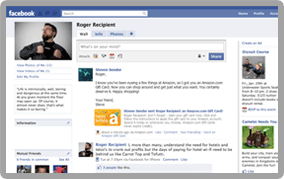
Amazon now has a page where you can send an Amazon Gift Card via Facebook.

To use this new feature, you'll need to first connect with Facebook while at that page, using Amazon's Connect to Facebook button.  Why?  They explain at the Giftcard-Facebook Help pages that:

  "This allows us to access your Facebook profile information, such as your list of friends... [and] the gift card ordering application may need additional Facebook permissions that you haven't already granted, or because you haven't used the gift card ordering application before."

  Some will have privacy concerns with regard to Facebook information.

  You should be aware, also, that the giftcard recipient will also need to connect Amazon with their Facebook account to redeem the gift card.  If, however, giftees don't want to connect their Amazon and Facebook accounts, they can ask the sender to "re-send the gift card as an e-mail gift card." (Instructions for re-sending gift cards are available on that help page.)

  A bit more on the privacy aspect and information they use, which I'll quote here -- it's very similar to what happens when you accept an 'app' at Facebook or send a friend a Facebook 'app' such as 'Poke'... except that the non-Amazon Facebook apps are a bit more invasive, allowing vendors all publicly available info on your friends, including their photos, etc.  The Amazon Facebook gift card app takes, apparently, only pertinent information needed for the gift card:
' This allows Amazon to access your friends' names and birthdays, and post the gift card to your friend's Wall on the delivery date

  [My addition here: You can decide whether the message will be seen only by the recipient or by everyone -- but the $-amount and claim card will be seen only by the recipient in either case].

The connection with Facebook will not become permanent until you sign in to Amazon.com as part of the gift card purchasing process (but you can always disconnect later at any time).
Your personal Amazon data will remain private.

* Amazon will not share Your Account information with Facebook.
* Amazon will not share your purchase history with Facebook.
* Amazon will not attempt to contact your Facebook friends, except to deliver gift cards. '

The press release today explains also that "After connecting to his or her Facebook account on Amazon.com, the sender can choose a gift card design, specify an amount up to $5,000 and provide an optional gift card message.  The sender can also schedule the date for the gift card to appear on the recipient's Facebook Wall up to a year in advance."

ADDITIONAL MP3-THEMED PROMO BUT IT'S NOT A LARGE ONE
I'll just quote it here.
' In addition, Amazon is now offering a "Give 5, Get $5" promotion for a limited time.  Starting today, the first 10,000 customers who give an MP3-themed Amazon.com Gift Card to five different Facebook friends will get a $5 credit good for music downloads at Amazon MP3.  Amazon MP3 has a library of more than 13 million songs and all music downloads sold at Amazon MP3 are DRM-free, which means they work on virtually any MP3 player or phone.  For more details about the offer, visit www.amazon.com/giftcards-facebook-mp3promo. '

IF YOU'D RATHER NOT DO GIFTCARDS VIA A FACEBOOK POSTING
If you're not into Facebook or don't want to connect your Amazon account to your Facebook one, the normally available gift card and gift certificate pages are linked to in this blog's reference area at the right.  The regular offerings:

GIFT cards for Kindle books or any other Amazon.com items,
 Gift certificates, etc.

GIFT cards - UK only, for any Amazon-UK store items


Kindle 3's   (UK: Kindle 3's),   DX Graphite


Check often: Temporarily-free late-listed non-classics or recently published ones
  Guide to finding Free Kindle books and Sources.  Top 100 free bestsellers.
UK-Only: recently published non-classics, bestsellers, or highest-rated ones
    Also, UK customers should see the UK store's Top 100 free bestsellers. Below are ways to Share this post if you'd like others to see it.
-- The Send to Kindle button works well only on Firefox currently.

Send to Kindle


(Older posts have older Kindle model info. For latest models, see CURRENT KINDLES page. )
If interested, you can also follow my add'l blog-related news at Facebook and Twitter
Questions & feedback are welcome in the Comment areas (tho' spam is deleted). Thanks!

Monday, November 1, 2010

Amazon UK Switches to Agency Plan with 3 Publishers

As mentioned here on Oct. 15, Amazon told its UK customers about its battles to avoid the 'Agency Plan' created by Apple with the larger publishers and that the latter would 'require' online booksellers to accept the plan to fix prices to be the same at all online stores (notably higher in most cases).  See the recent story for details of what Amazon said to its customers in a posting on the Kindle forums.  The short version is:
' Recently, you may have heard that a small group of UK publishers will require booksellers to adopt an "agency model" for selling e-books. Under this model, publishers set the consumer price for each e-book and require any bookseller to sell at that price. This is unlike the traditional wholesale model that's been in place for decades, where booksellers set consumer prices.

It is indeed correct that this group of publishers will require Amazon and other UK booksellers to accept an agency model for e-books. We believe they will raise prices on e-books for consumers almost across the board. For a number of reasons, we think this is a damaging approach for readers, authors, booksellers and publishers alike. ... '

  But Bookseller.com reports it's come to pass in the U.K. now, also, with "publishers Hachette, HarperCollins and Penguin now setting their own e-book prices.  Customers buying an e-book from the Kindle store from any of the three publishers are told: "This price was set by the publisher." A Penguin spokesperson said: "I can confirm we are now on the agency model with Amazon as of today."

  Hachette, the leader of the 3 (or the one who required this first) switched to agency pricing in September. Bookseller says that Amazon is the first online e-bookseller to make the switch and that no Penguin or Hachette e-books are yet available for sale on either Waterstones.com or W H Smith's website.

  It seems they just withhold the e-books if the retailer refuses to go on the Agency plan.  With Amazon, the customers tend to blame Amazon, as they did in the U.S., if the e-books are not in the store and many posted on forums they'd rather have a choice and pay more than not have access to the books at all or have to find them elsewhere.  Most posted though that they didn't intend to pay the publishers' new higher prices, since they were often 50% higher.

  The reaction in the UK's forums is more angry than even what we saw in the U.S. forums.  One book, Just After Sunset bought at under £5 the other day, was seen to be £17.99 today, a price shown as 'set by the publisher' as they decided to do in the U.S. (where some customers ignore it and still blame Amazon for the pricing).  However, I just looked and they're removed the price for the Kindle edition and haven't replaced it yet. Also, Bookseller.com adds:
'A small number of HarperCollins' e-books are available at Waterstones.com and W H Smith, with a note from Waterstones.com indicating that loyalty card points do not now apply to e-book purchases.

  It is believed that an issue over loyalty card payments was behind the removal of Hachette titles from sale at Waterstones.com when the publishers switched to agency in September, suggesting that the wrinkes [sic] in the transition may soon be ironed out across all booksellers who agree to the new terms.  One retailer said: "It's still a bit fluid.  Everything is still being resolved."

The only publishers who have signed up to the agency model but have yet to implement its pricing are Canongate, Macmillan and Simon & Schuster. '
See the earlier story for more details and links to sourcing for the history of the e-book pricing wars.


Kindle 3's   (UK: Kindle 3's),   DX Graphite

Check often: Temporarily-free late-listed non-classics or recently published ones
  Guide to finding Free Kindle books and Sources.  Top 100 free bestsellers.
UK-Only: recently published non-classics, bestsellers, or highest-rated ones
    Also, UK customers should see the UK store's Top 100 free bestsellers. Below are ways to Share this post if you'd like others to see it.
-- The Send to Kindle button works well only on Firefox currently.

Send to Kindle


(Older posts have older Kindle model info. For latest models, see CURRENT KINDLES page. )
If interested, you can also follow my add'l blog-related news at Facebook and Twitter
Questions & feedback are welcome in the Comment areas (tho' spam is deleted). Thanks!

CNet: LCD vs. e-ink: The eyestrain debate. Thoughts on the NookColor. PCW Top 5 Tech

CNet's David Carnoy weighed in on the debate over whether or not e-book reading on LCD screen causes more eyestrain than when reading on an e-Ink screen.  For him, it doesn't matter, but he apparently understands that for other humans it can be a problem though he prefers to think that it's not due to the LCD screen that others have a problem.

  In my own case -- with a focus only on words one after another against a background that puts light right into my eyes, there's quite a difference.

  I (and others report the same) can read a book on e-ink for hours but on my LCD screen, which I DIM -- and it has a reputation for being an excellent screen) -- I can read an e-book for no more than 20 minutes.  I then need to squint my eyes to continue, no matter how far down I dim that light.  I also use a lamp to help my eyes adjust to the light difference between the light source (LCD) and surroundings, and that helps me read books for about half an hour.  I do it only because I like to see some of the color illustrations on my Kindle 4 PC.

  Yet, I can surf the web on a computer of any type for 10+ hours a day without a problem because in surfing the web your eyes are looking all over the place and get to relax from one short-term position of focus, with images and other stories to catch your eye (as with a paper newspaper).  That's why it's called surfing ... or browsing.  It's not a heavy focus on just one plain-text word after another, contained, with not much movement of the eyes for relaxation and then, with that more intense form of light (vs reflected light from e-ink screens) coming into your eyes, it has more effect on some of us.

Carnoy gets a quote from Barnes and Noble's CEO, William Lynch, that B&N did "extensive research on displays" and "discovered" that "eyestrain with LCDs was not the huge issue many people were making it out to be." He added that B&N is using a "high-resolution next-generation panel from LG" that is backlit with LED.

 Carnoy then asks his optometrist for his take on this and reports that the doc doesn't feel there's that much to the eyestrain idea.  It doesn't matter, he feels, if a light is shining into your eyes when you are doing serial reading (words in a string) for long-form sessions as opposed to short magazine reading or surfing the web.  He doesn't believe today's LCD screens cause any eyestrain for anyone but that it's just a matter of "aesthetics" whether they prefer an LCD screen or an e-Ink one for reading.

In the comments section for the article, some point to differing light-sensitivity that people have.  One would think that was common (and good) sense.

But the most interesting Comment of all to that article was one which I'll put here, as his explanations for perceived or reported LCD eyestrain comes from someone who has studied this at length and of course has reasons for his most definite bias, as he is a co-founder of e-Ink:
' Hi David,

While LCDs are adequate for reading, E Ink was invented and engineered for the best possible reading experience. Your readers might like to hear about a few technical factors that are not well known and contribute to the difference:

1. Ambient brightness
Over the years many people have told me that reading an emissive display is bothersome to them while E Ink is not.

I think one reason is that as you read, your eyes skip along the lines of text, dwelling for a fraction of a second on small groups of words. Your eyes are constantly moving ? hundreds of times per minute. So it is very important that your eyes be able to refocus on the surface of a screen within a split-second.

Emissive displays are ill-suited for this. While you are reading a book, you see a lot more than the screen. Your field of vision is wider than the page alone and your eyes often glance off the page. With a backlit screen, every time your eye switches from a bright screen to the dimmer ambient room, your eye muscles must make an adjustment. And the more adjustments, the more chance for eyestrain.

With paper or E Ink, the page is the same brightness as everything else in the room. Your eye needs less adjustment effort to go back and forth. You can see and understand information more immediately. Paper is the ultimate "glanceable" display and that helps improve comprehension and maximize reading speed.

2. No parallax / closer to the eye

Have you ever gazed at a calculator display and noticed a bit of a shadow? That is parallax. The same thing happens on your emissive LCD. The white color is actually coming from a backlight behind the LCD; the black color is coming from a shadow cast by the liquid crystal material in the middle of the LCD glass sandwich. So black and white are different distances from your eye. This degree of shadowing changes with the viewing angle. There are also two sheets of glass and multiple polarizer films between your eye and the white background, which creates a slight feeling of separation between screen and real world.

In an E Ink display, the electronic ink contains black and white particles that are both moved physically by electrophoresis to the front of the display. So both black and white are exactly the same distance from your eye. Furthermore, both are at the front pressed up to the top layer of glass. This greatly contributes to the feeling that the information is printed on the top of a page.

3. Less glare

All E Ink display surfaces are treated to be matte like a printed page. Most LCDs are not. This is not an obvious feature when you buy the product, but it makes a huge difference to legibility in some settings.

4. Same contrast across the entire page

Although modern LCDs have greatly improved their viewing angle uniformity, there is still a detectable difference in contrast ratio across the page. These differences in contrast make it just a tiny bit harder to resolve images as your eye skips along the page. As the screen gets larger or closer to your eyes, as with a handheld book, this angular difference is increased.

5. No aperture ratio loss

The pixels on LCD screens do not have a full aperture ratio, because each pixel must be separated by a black border. The border hides the underlying transistor and separates the areas of the color filter. There are actually 3 sets of borders per pixel, since color LCDs have RGB subpixels. This all adds up to tiny black gaps between each pixel. As LCDs reach higher resolutions there are even more dead gaps as a percentage of viewing area.

E Ink screens have a 100% aperture ratio. There is no black mask and no black border between pixels. When two neighboring pixels are white on an E Ink screen, the pixels merge to form a solid block of white. Therefore the blacks and whites on an E Ink screen are uniform, again improving image quality.

Russ Wilcox, co-founder E Ink <-- absolutely biased in favor of E Ink! =) '

This is all a concern as some of us are considering, as a SECONDARY e-reader, the coming NookColor, for color magazine reading or for photography and travel books.   Also of interest is the ePub (but not its proprietary form of Adobe DRM) and library capabilities *IF* the new Nook functions better than the eInk Nook does (and certainly better than it did in its first buggy half year) as I find its menu system and processes have too many steps, it's too slow to respond (when you're used to the Kindle  (UK: K3)), and the Nook's search and annotations systems are quite poor.
  But also of interest is that it will view though not edit Microsoft Office documents.

  Searches can function as 'flipping' through a book in search of something and that's important to me, as is the dictionary function being right on the front screen as it is for both the Kindles and the new Sony e-readers.  Annotations should be FINDABLE rather than depending on your ever reaching those pages again (a drawback of the current Nook).

  However, the new Nook software update coming may help. Oddly, Engadget's look at the NookColor the other day left them feeling the NookColor has to be sped up, even though it's not an eInk device.  B&N has another two weeks to get it ready for reporters to touch (they wouldn't let Engadget operate it).

As of now, I'm also looking at the fact that the NookColor is almost one pound (15.8 ounces) and gives "up to" 8 hours on a battery charge, and it takes 3 hours to do a full charge.

 Those are drawbacks to it being a primary portable e-reader, but the color will entice, even if it is an LCD screen and we now know what an LCD screen is like, for book-reading outside where the sun shines.  There should be a good market for it though, from people who won't need to use it outdoors and who want color above all else and have not bought an e-reader because of the lack of color.  I imagine that's a large potential market.

I'll be writing more about the NookColor, but I would personally not, at this point get a color LCD screen device as my primary ebook reader but am considering the new Nook as a supplemental e-reader and also because I'm a long-time B&N member and want them to survive, as they're not in the best financial shape currently but should certainly make it through fine if they do things right with the Nook.
  It's important to me that their bookstore in my neighborhood, which I like to visit, stays, when the 3 others in this area gave up the ghost this past year.

  The IPad has a great screen but is decidedly not pleasant for me to try to read a book on although some others can do it (the Nook will add an anti-glare coating and it'll be interesting to see how effective that is), but the market shows clearly that the Kindle's eInk screen is a huge attraction for avid book readers and many of us are reading and buying books much more than we used to because it is so strangely pleasing to read on an e-Ink screen and with the Kindle's features and functioning.

  That's a good reason for B&N to keep the E-Ink model, as the new model does not 'replace' that but is an addition to the line. The new model will not offer 3G access and will depend on WiFi networks in the home or available nearby.

PC World's TOP 5 Tech Products of the year (out of 100 chosen)
PC World's Cody Hahn reports on their pick of the top 100 best technology products for 2010.
  The surprise for many in this was that "Google Android 2.2" is number one rather than the Apple iPad.  They also list their Top 5 tech products and services:

  . Google Android 2.2
  . Apple iPad
  . Amazon Kindle (third generation)
  . Netflix
  . Samsung Galaxy Tab (7" tablet with flash and 2 cameras)

No surprise that the Kindle 3 is in the bunch.


Kindle 3's   (UK: Kindle 3's),   DX Graphite

Check often: Temporarily-free late-listed non-classics or recently published ones
  Guide to finding Free Kindle books and Sources.  Top 100 free bestsellers.
UK-Only: recently published non-classics, bestsellers, or highest-rated ones
    Also, UK customers should see the UK store's Top 100 free bestsellers. Below are ways to Share this post if you'd like others to see it.
-- The Send to Kindle button works well only on Firefox currently.

Send to Kindle


(Older posts have older Kindle model info. For latest models, see CURRENT KINDLES page. )
If interested, you can also follow my add'l blog-related news at Facebook and Twitter
Questions & feedback are welcome in the Comment areas (tho' spam is deleted). Thanks!

[Valid RSS]